Why Doctors Choose On-Device Dictation
Every time you dictate a patient note using cloud-based software, that audio travels to a remote server. Someone else's infrastructure processes your patient's private medical information. With SpeakUp, that never happens.
Your voice goes from the microphone to your Mac's GPU, gets converted to text, and the audio is immediately discarded. No network call. No server. No copy of the audio exists anywhere except in the moment of processing.
Built for Clinical Workflows
Works in every app. Dictate directly into your EHR, clinical notes software, email, or any text field. SpeakUp runs as a lightweight menu bar app -- press your hotkey, speak, press again. Text appears at your cursor.
No time limits. SpeakUp lets you dictate an entire consultation note without interruption. Speak for as long as you need.
Accurate punctuation. Whisper AI understands sentence structure. Your notes come out with proper periods, commas, and capitalisation -- ready to use without extensive editing.
German medical terminology. For DACH-region practitioners, SpeakUp handles German medical vocabulary, compound nouns, and umlauts with precision that Apple's dictation simply cannot match.
Medical Lexicons (New in 1.0.26)
SpeakUp now ships with free, optional Lexicons — specialty vocabulary packs you can enable under Settings → Lexicons. The Medical (German) Lexicon is built from the official ICD-10-GM and OPS code catalogues (BfArM), ABDA pharmaceutical data, and German MeSH terminology (ZB MED) — roughly 180,000 clinical terms covering diagnoses, procedures, anatomy, and drug names. A Medical (Italian) Lexicon — built from ICD-10 IT (ISS) and AIFA drug data — is also included for Italian-speaking practitioners.
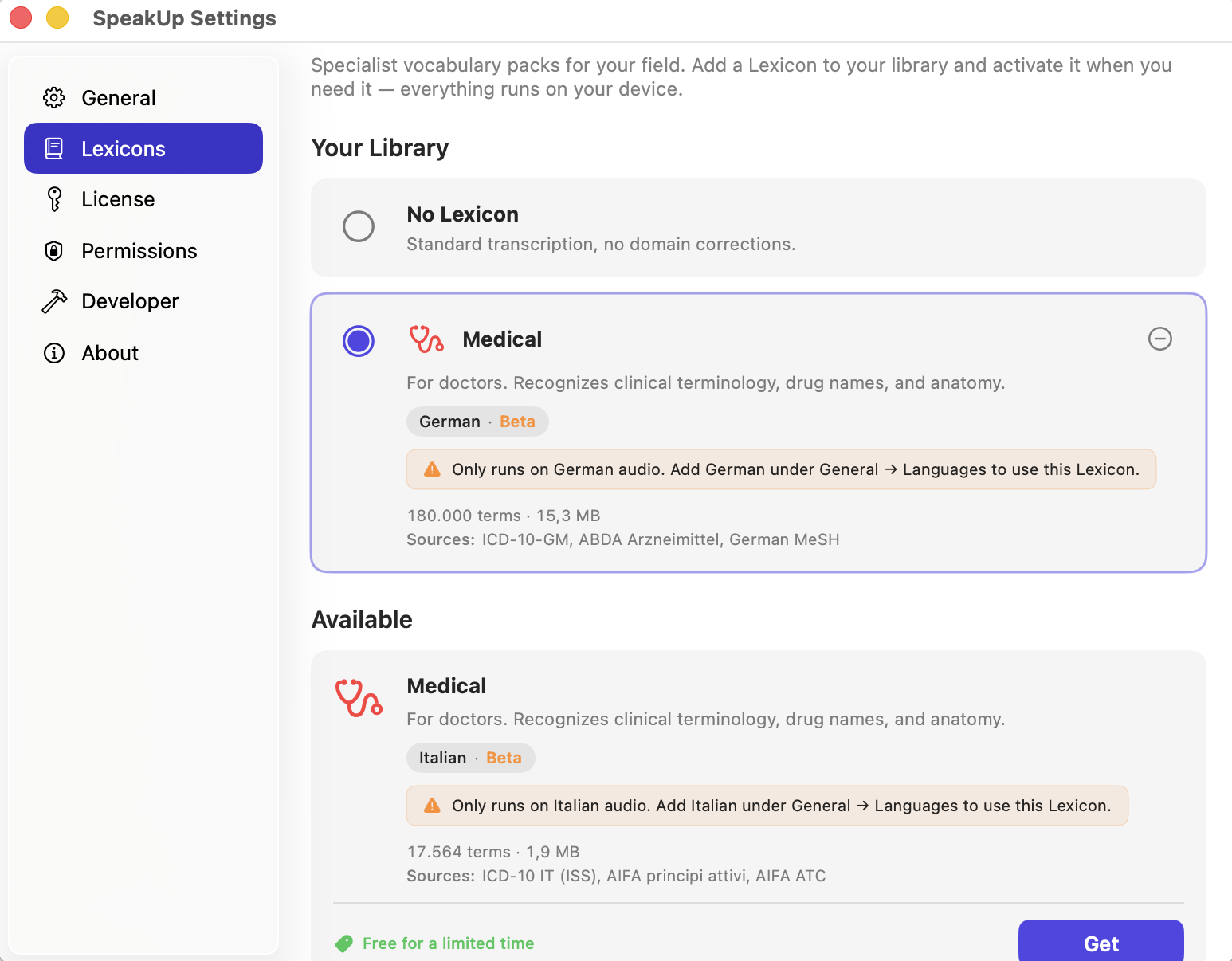
In our benchmarks, turning the German Lexicon on gets about 15 more medical terms right for every 100 you dictate. That's the difference between "mostly correct, some re-reading" and "I can trust this." A doctor currently using SpeakUp put it simply: "Medical word recognition works very well."
Lexicons run entirely on-device, like everything else in SpeakUp. They activate only when you dictate in their language — so English prescriptions and Arztbriefe won't interfere with each other. We also ran a 200-sentence safety check on everyday German speech across eight voices including regional accents: zero regressions. For the full story on how we build and validate Lexicons, see our post on teaching SpeakUp your field's vocabulary.
Patient Data Security
| Requirement | SpeakUp | Cloud Dictation |
|---|---|---|
| Audio leaves the device | Never | Yes -- sent to servers |
| Account required | No | Yes |
| Data stored on servers | None | Varies |
| Works without internet | Yes | No |
| Third-party access possible | No | Depends on provider |
| GDPR/DSGVO compliant | By architecture | By policy |
The difference between privacy-by-policy and privacy-by-architecture is fundamental. Cloud providers promise not to misuse your data. SpeakUp makes it technically impossible for anyone -- including us -- to access it.
€29 Once. Not €2,000/Year.
Dragon Medical costs thousands per year per seat. Cloud transcription services charge monthly per provider. SpeakUp costs €29 one-time -- for the entire practice if each Mac has a license. No subscription, no per-word fees, no annual renewal.
Related: SpeakUp vs Dragon · Teaching SpeakUp your field's vocabulary · Best dictation software for Mac 2026