What you get
On-device transcription
Your voice is transcribed entirely on your iPhone with Parakeet (NVIDIA's open-source ASR model, Apache-2.0) running on Apple's Neural Engine via CoreML. No cloud, no account, no telemetry. Audio is processed locally in milliseconds and immediately discarded.
A keyboard mic button that works everywhere
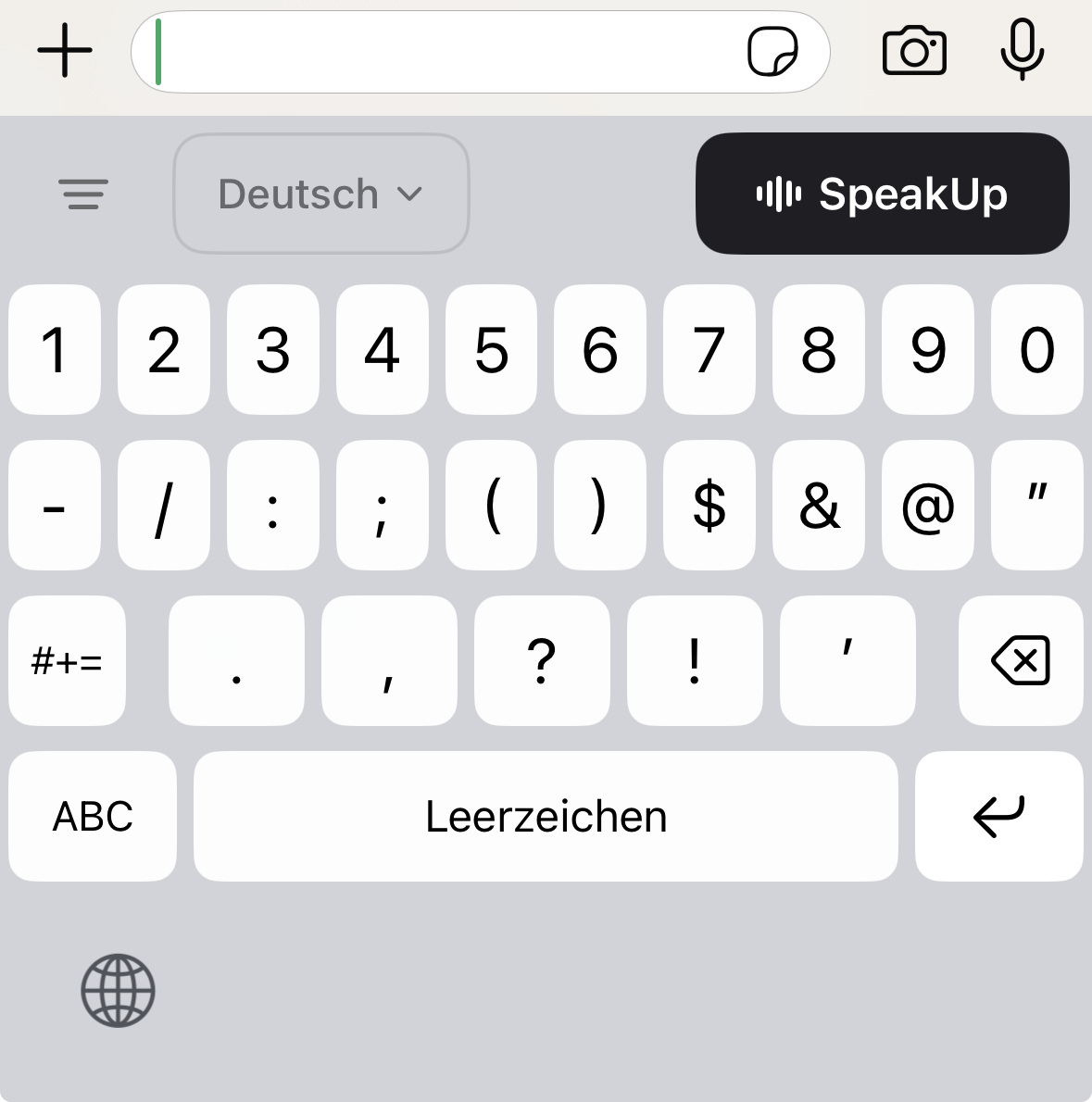
SpeakUp installs a full QWERTY keyboard with a dedicated mic button. Tap it, speak, and your words appear in any app — Messages, Notes, Mail, Slack, Safari, anywhere you type. No app integration needed, no copy-paste from a separate app.
9 European languages, auto-detected
English, German, French, Spanish, Italian, Portuguese, Russian, Ukrainian — all at production quality. Plus Romanian as an "Experimental" tier (badged in the picker — lower accuracy than the other 8). Configure up to 3 languages in Settings; SpeakUp picks the right one automatically per recording.
Faithful transcription, not AI rewriting
SpeakUp transcribes what you said. Period. No paraphrasing, no AI "polish", no silent reorderings. Your words, your tone. If you wanted an AI to rewrite your text, you have plenty of options — this is not one of them, by design.
Free, forever
No subscription. No account. No word limits. No "free tier" that nags you to upgrade. iOS is free. Forever. The Mac version is €29 one-time.
How it compares
| SpeakUp | Apple Dictation | Wispr Flow | |
|---|---|---|---|
| Processing | On-device | Hybrid* | Cloud |
| Price (iOS) | Free | Free | $15/month |
| Offline | Always | Partial* | Never |
| European languages | 9 | Limited | Yes |
| AI rewrites your words | No | No | Yes |
| Works in every app | Custom keyboard | System only | Not on iOS |
*Apple Dictation processes some audio on-device but sends data to Apple servers for longer dictation and certain languages.
How it's built
SpeakUp for iPhone uses Parakeet TDT v3 — NVIDIA's open-source multilingual speech recognition model, running natively on Apple's Neural Engine via CoreML through the FluidAudio Swift package (Apache-2.0).
The keyboard extension and main app coordinate via a shared App Group container. The keyboard never touches the microphone directly — iOS kernel-blocks that anyway — so the main app handles recording and transcription. Your voice never leaves the device.
From iPhone to Mac
The iPhone keyboard is free because we want every iPhone user to feel what on-device dictation is like. If it earns a place in your daily workflow, you'll probably want it at your desk too — that is where SpeakUp for Mac comes in.
The Mac app is the same idea, removed of every iOS platform limit:
| iPhone (free) | Mac (€29 once) | |
|---|---|---|
| Recording length | 60 seconds per segment* | Unlimited |
| Activation | Tap mic on keyboard | Global hotkey, types into any app |
| Engine | Parakeet on Apple Neural Engine | Whisper.cpp on Metal GPU + Neural Engine |
| Languages | 9 | 30+ |
| Custom Lexicons | — | Medical (DE), Software (EN), Legal soon |
| Subscription | No | No |
| Privacy | On-device | On-device |
*iOS keyboard extension memory cap — a platform constraint, not a SpeakUp choice.
If the iPhone keyboard saved you time today, the Mac version pays for itself in about a week. 14-day free trial, no credit card. Try SpeakUp for Mac →
Or read the full comparison: Best Dictation Software for Mac (2026) →